
Run the group without running yourself ragged.
Show of Hands turns Claude, ChatGPT, Gemini or Grok into a calm co-leader for Scout dens and troops, 4-H clubs, PTAs, PTOs and booster clubs. Tell it about your group and what's coming up, and get a meeting plan, a year calendar, a sign-up sheet with backups built in, a fundraiser with the profit worked out, a short parent email, and a field trip checklist, with youth protection and careful money handling built in.
Get Show of Hands Volunteer Leader for $5 Work out profit
$5 once · card, Apple Pay or Google Pay · download in a minute
Into more than one hobby? Get all 70 hobby skills for $19, this one included.
- One-time $5
- Instant email delivery
- 14-day refund
- Works in Claude, ChatGPT, Gemini and Grok
Plan: Pine Street PTO fall festival
Saturday 10 AM to 4 PM · 200 kids expected · $1,500 goal for library books
Two people count all cashVolunteer sign-up with backupsParent email ready to send
- MoneyCookie dough sale: about $1,072 profit on 200 tubs($12 price - $6 cost - card fees) × 200 - $50 setup · 277 tubs reach $1,500Budget
- People3 shifts of 6, plus setup and cleanup crews: 26 slotsRecruit 31 to cover about 15% no-showsSign-ups
- KidsKids' craft table: your policy's ratio, never one adult aloneOnly screened volunteers supervise childrenProtect
- Email"Two hours, one Saturday, big smiles": parent askWhat, when, how long, one link to sign up, a thank-youSend
- CashCash box: two people count, both sign the count sheetDeposit into the PTO account the same day or nextTreasurer
What an experienced den leader, club leader and PTA treasurer would tell you
One skill, six jobs. Claude, ChatGPT, Gemini or Grok picks the right one from what you ask.
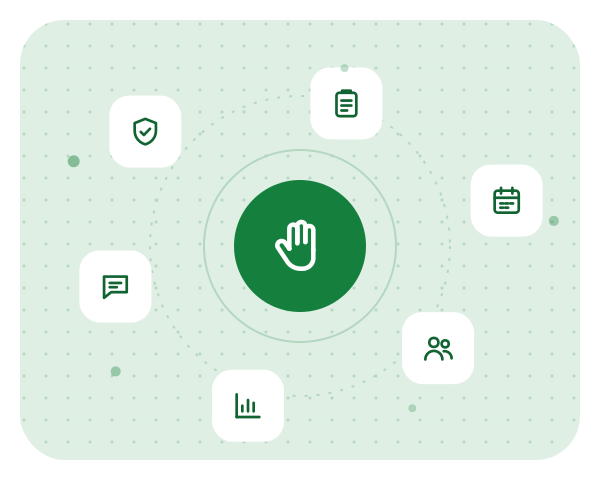
Meeting and activity plans
Timed plans for den, troop, club and youth meetings: a gathering activity, the main activity, cleanup and a closing, with a supply list.
A year calendar
A month-by-month plan around the school year: meetings, events, fundraisers, deadlines and the volunteers each one needs.
Sign-ups and thank-yous
Job lists and shift sign-ups with a buffer for no-shows, recruiting asks that are small and specific, and thank-yous that name what each person did.
Fundraisers and budgets
Profit after costs and fees, sales needed to hit the goal, and a simple yearly budget, with the math shown and cash handled by two people.
Emails, newsletters, agendas and minutes
Short parent emails and newsletters, meeting agendas with times, and minutes that record motions and decisions.
Field trips and events, safely
Planning checklists for outings and events with permission forms, drivers, food safety and allergies, and your organization's youth protection rules first.
Ask it like you'd ask the leader who's done this for ten years
It knows how volunteer groups really run, so the plan is short, specific and realistic about busy parents.
Minutes record what was decided, not everything that was said
Most groups follow their bylaws and often Robert's Rules of Order, so check your bylaws first. Then keep it short.
What to write
- The group's name, date, time and place, and who chaired.
- Who attended, and whether you had a quorum (your bylaws say how many).
- Approval of the last minutes, and any corrections.
- The treasurer's report: note that it was given and filed, not every number.
- Each motion in its exact words, who made it, and whether it passed or failed. Example: "Motion by J. Lee to spend up to $400 on library books. Carried."
- Action items: who will do what, by when.
- The time the meeting ended.
Tips
Type it up within a day or two while you remember, mark it DRAFT, and send it to the president. It becomes official when the group approves it at the next meeting.
Example answer from the full skill. Your answers depend on what you ask.
Honest about volunteering
Kids' groups run on trust. Show of Hands is careful where it matters most.
- Youth protection firstEvery plan respects common safeguards like two-adult leadership, no one-on-one contact, and required trainings and background checks, and your organization's own policy always comes first.
- Two people, every dollarCash is counted by two people, recorded and deposited, following your treasurer's rules. It helps with simple budgets, not taxes or legal questions.
- Your organization's rules winIt doesn't state official Scouting, 4-H or PTA rules. It points you to them and tells you to check with your council, Extension office or state PTA.
- Small asks, real thanksIt plans around tired, busy parents: short jobs, clear times, and a thank-you for every hand raised.
Up and running in two minutes
No app to learn and nothing to install on your computer. It lives inside Claude, ChatGPT, Gemini or Grok.
Buy once
Pay $5 by card, Apple Pay or Google Pay. Your download link arrives by email in about a minute.
Add it to Claude, ChatGPT, Gemini or Grok
Upload the ZIP under Skills in Claude, or the unzipped folder in Gemini. It takes about 30 seconds. In Grok, upload the ZIP, or paste the included paste-in file into a new skill. In ChatGPT, add the included paste-in file to a Project.
Just ask
"Plan a 60-minute den meeting on knots." "Will a cookie dough sale reach $1,500?" "Write the volunteer ask for our spring carnival."
Pick your app for the exact clicks
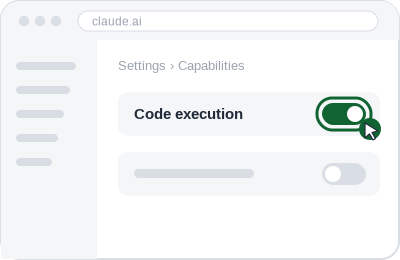
1In Settings, then Capabilities, turn on code execution.
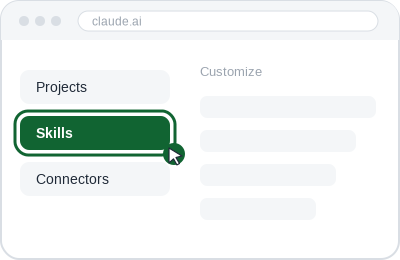
2Open Customize, then Skills.
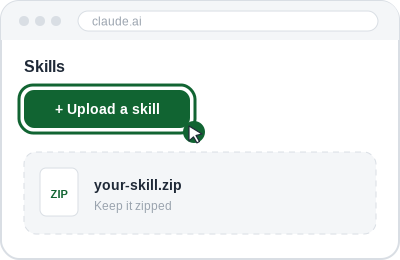
3Click +, choose Upload a skill, pick the ZIP. Keep it zipped.
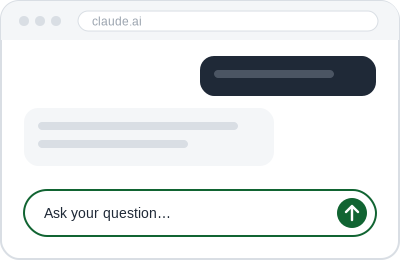
4Start a new chat and ask. Claude picks up the skill.
Works on every Claude plan, including the free one. Free plans have lower usage limits.
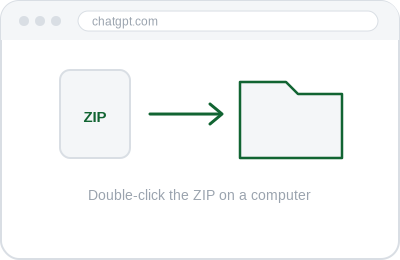
1On a computer, unzip the download and find ANY-AI-PASTE-VERSION.txt.
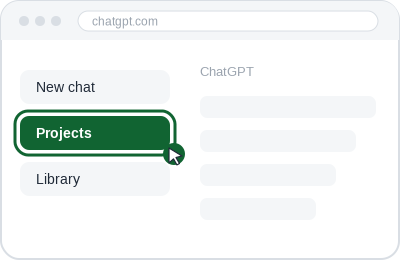
2In ChatGPT, open Projects and make a new project.
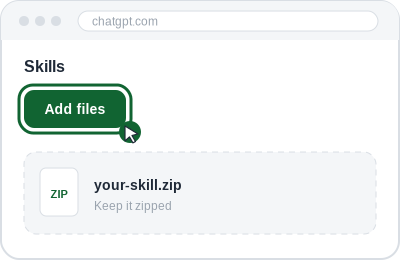
3Add the .txt file to the project. In its instructions, type: Follow the attached file.
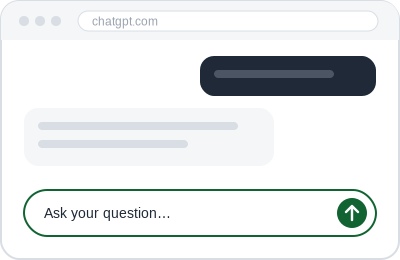
4Start a chat in that project and ask. On a Business, Enterprise or Edu plan, you can upload the ZIP under Skills instead.
Personal ChatGPT plans (Free, Plus, Pro) don't have a Skills page yet, so you use the paste-in version in a Project. On a Business, Enterprise or Edu plan, go to chatgpt.com/skills, choose Add, then Upload from your computer.
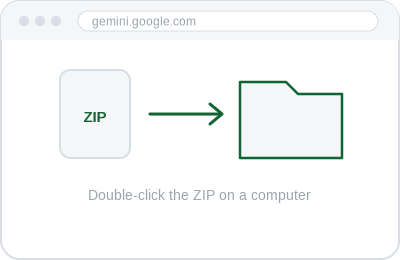
1On a computer, unzip the download. You get a folder.
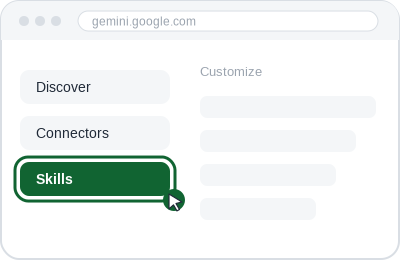
2At gemini.google.com, open Customize, then Skills.
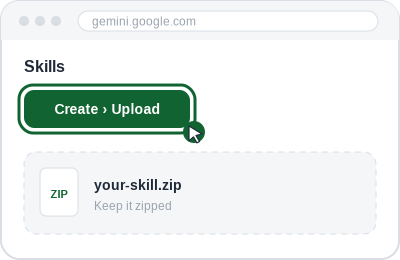
3Choose Create, then Upload, then folder. Pick the unzipped folder.
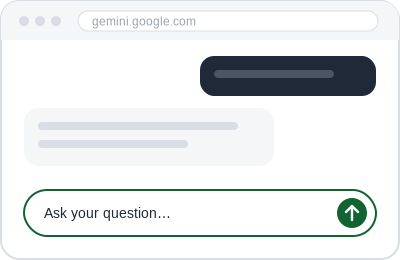
4Start a new chat and ask.
Gemini takes the unzipped folder, not the ZIP. Menus in Gemini change often, so names may differ slightly.
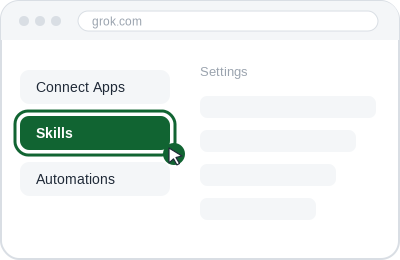
1At grok.com, open Settings, then Skills.
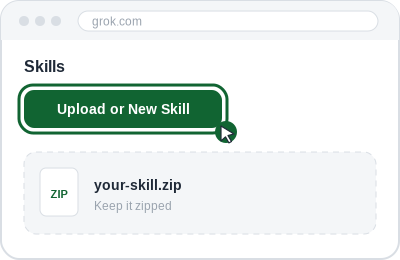
2If you see Upload, pick the ZIP. If you only see New Skill, use the next step.
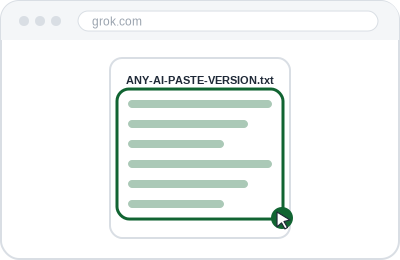
3New Skill: name it, then paste the text of ANY-AI-PASTE-VERSION.txt (below the line of equals signs) into Instructions.
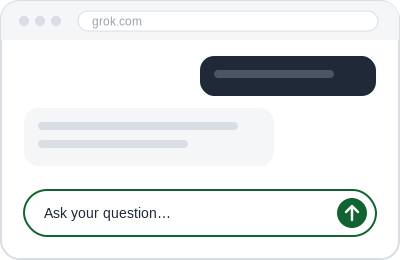
4Save it, start a new chat and ask.
Some Grok plans upload the ZIP; others show a New Skill form, where you paste the skill text in. Menus in Grok change often, so names may differ slightly.
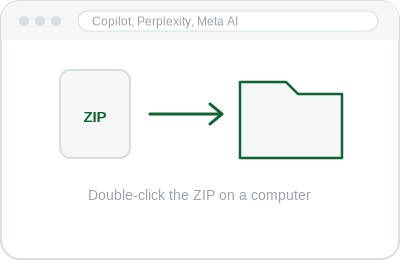
1No Skills page? Unzip the download on a computer.
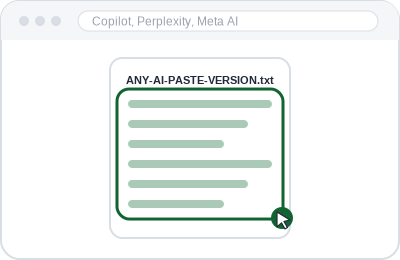
2Open ANY-AI-PASTE-VERSION.txt and copy everything.
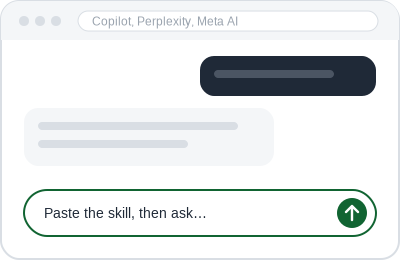
3Paste it into a new chat, then ask your question.
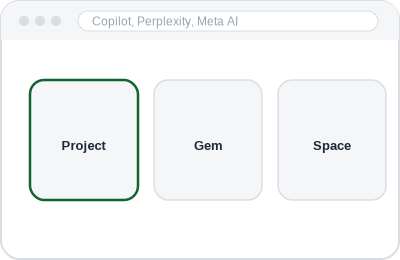
4To keep it on, add it to a ChatGPT Project, Gemini Gem or Perplexity Space.
Using Claude Code, Codex, Cursor or another coding agent? Unzip it into the skills folder, for example unzip show-of-hands-volunteer-leader.zip -d ~/.claude/skills/
On your phone? Go ahead and buy: the download link goes to your email and works for a year. Adding a skill is easiest from a computer, in a web browser or the desktop app, so open that email there when you're ready. Want to try it on your phone today? Open the ZIP, copy ANY-AI-PASTE-VERSION.txt into any chat app, and ask.
Start with the free Meeting Plan
A small skill that plans one meeting: a timed agenda for a kids' den or club meeting, or a parent and board meeting agenda with a minutes template.
- A minute-by-minute plan for kids' meetings
- A board or parent meeting agenda with times
- A simple minutes template
Get Show of Hands Volunteer Leader
Pay once, use it every year you lead. Includes the free Meeting Plan too.
How to add it
Upload the ZIP under Skills in Claude, or the unzipped folder in Gemini (in Grok, upload the ZIP or paste the paste-in file into a new skill; in ChatGPT, add it to a Project), then start a new chat and try: "I'm a new den leader for 8 first graders. Plan our first 60-minute meeting, and write a short welcome email to parents asking for a few volunteers."
See the clicks for your app. Every download also comes with a paste-in version for any other chat, and a Start Here PDF.
Step-by-step guides with pictures: Claude · ChatGPT · Gemini · Grok
Show of Hands Volunteer Leader
Meetings, a year calendar, sign-ups, fundraisers, parent emails and safe field trips.
$5 one time
- Meeting and activity plans for kids and adults
- A year calendar built around the school year
- Volunteer job lists, shift sign-ups, recruiting and thank-yous
- Fundraiser profit math and simple budgets
- Parent emails, newsletters, agendas and minutes
- Field trip and event checklists, with youth protection first
- Updates for a year
Card, Apple Pay or Google Pay through Stripe. Taxes calculated at checkout. 14-day refund.
Giving it as a gift? Buy it, forward the email, and print a gift card.
See a real answer from the full skill
You ask: I'm the new PTO secretary. Our first meeting is next Tuesday and I've never taken minutes. What do I actually write down?
Minutes record what was decided, not everything that was said
Most groups follow their bylaws and often Robert's Rules of Order, so check your bylaws first. Then keep it short.
What to write
- The group's name, date, time and place, and who chaired.
- Who attended, and whether you had a quorum (your bylaws say how many).
- Approval of the last minutes, and any corrections.
- The treasurer's report: note that it was given and filed, not every number.
- Each motion in its exact words, who made it, and whether it passed or failed. Example: "Motion by J. Lee to spend up to $400 on library books. Carried."
- Action items: who will do what, by when.
- The time the meeting ended.
Tips
Type it up within a day or two while you remember, mark it DRAFT, and send it to the president. It becomes official when the group approves it at the next meeting.
Into more than one hobby? The Skill Pass gets you all 70 hobby skills, this one included, for $19.
New to AI skills?
Show of Hands is a skill: a set of expert instructions you add to your own Claude, ChatGPT, Gemini or Grok account, so it answers like a volunteer leader's co-planner who knows the craft.
- Using Gemini? Unzip it and upload the folder on its Skills page. Using Grok? Under Settings, Skills, upload the ZIP or paste the paste-in file into a new skill. Using ChatGPT? Add the included paste-in file to a Project.
- New to all of them? Claude is an AI assistant made by Anthropic. Make an account at claude.ai: skills work on every Claude plan, including the free one, with code execution turned on in Settings, Capabilities.
- Try the free Meeting Plan skill first. If you like it, the full skill is one purchase.
Not ready for an AI app? The free fundraiser profit calculator on this site works in any browser, no account needed.
Free volunteer leadership tools
No sign-up, they run in your browser.
Made by Nic Hubert, What If Labs
I run What If Labs from British Columbia, Canada. I build each skill with AI help and test it on real questions, and a separate reviewer checks it before it goes on sale. If it doesn't do what this page says, email me at hello@whatiflabs.ai and I'll fix it or refund you.
No reviews yet: this store is new. Tell me how it went and I'll use it to make the skill better.
Questions
Which groups is it for?
Volunteer leaders of kids' and community groups: Scout den, pack and troop leaders, 4-H club leaders, PTA and PTO officers, booster club volunteers, and similar groups. Tell it your group, the kids' ages and what's coming up.
Does it know my organization's official rules?
No. It doesn't state official Scouting America, 4-H or National PTA rules, and rules change and differ by council, county and state. It reminds you of common safeguards and tells you to check your own policy, bylaws, council, Extension office or state PTA.
What if I'm worried a child is being harmed?
It tells you to follow your organization's reporting policy and to contact the authorities: call 911 if a child is in immediate danger, or your local child protective services or police. In the US, the Childhelp National Child Abuse Hotline is 1-800-422-4453, and it also takes calls from Canada. In Canada, you can also report to your provincial or territorial child protection agency. It won't help you investigate or confront anyone on your own.
Can it do our books or taxes?
It builds simple budgets, fundraiser math and treasurer's report outlines. It isn't an accountant or a lawyer. Raffles, tax status, sales tax and insurance questions go to your treasurer, your organization's council or state office, or a professional.
What do I need to use it?
A Claude, ChatGPT, Gemini or Grok account. In Claude it works on any plan, including the free one, with code execution turned on (Settings, Capabilities). Free accounts have lower usage limits, so long planning sessions go further on a paid plan. It works in Claude on the web, the desktop app and Claude Code. In Gemini and Grok, upload it on the Skills page. In ChatGPT, personal plans (Free, Plus, Pro) don't have Skills yet, so you add the included paste-in file to a ChatGPT Project; Business, Enterprise and Edu plans can upload the ZIP under Skills. Coding agents that read SKILL.md files work too. Using Copilot, Perplexity, Meta AI or another chat with no Skills page? Every download includes a paste-in version (ANY-AI-PASTE-VERSION.txt) that works in any AI chat.
What if it doesn't work for me?
Email hello@whatiflabs.ai within 14 days of buying and we'll refund you in full. No forms, no questions.
How is this different from just asking an AI?
A general AI answer is often vague or skips steps. The skill gives your AI an expert's method: what to ask you first, the checklists and calculations to run, and the mistakes to warn you about. You get consistent, specific answers instead of a different guess each time.
Do I pay every month?
No. It's a one-time price, and updates to the skill are free.
Can I get a refund?
Yes. Every purchase comes with a 14-day refund, no questions asked. Reply to your receipt email and we'll take care of it.
What if it gets something wrong?
It shows its working, so you can check numbers and dates. Tell it what's off and it will correct itself. For anything where a mistake costs money or safety, double-check before you act, as you would with any advice.
Is my information private?
The skill runs inside your own Claude, ChatGPT, Gemini or Grok account, and we never see your chats. When you buy, Stripe handles the payment and we keep your email and order so we can send the download. The terms and privacy page has the details.